Microsoft.Testing.Platform (MTP) in the Test Explorer: dotnet test, xUnit v3, MSTest and NUnit for C# and F#

SharpLsp Team
Nimblesite Engineering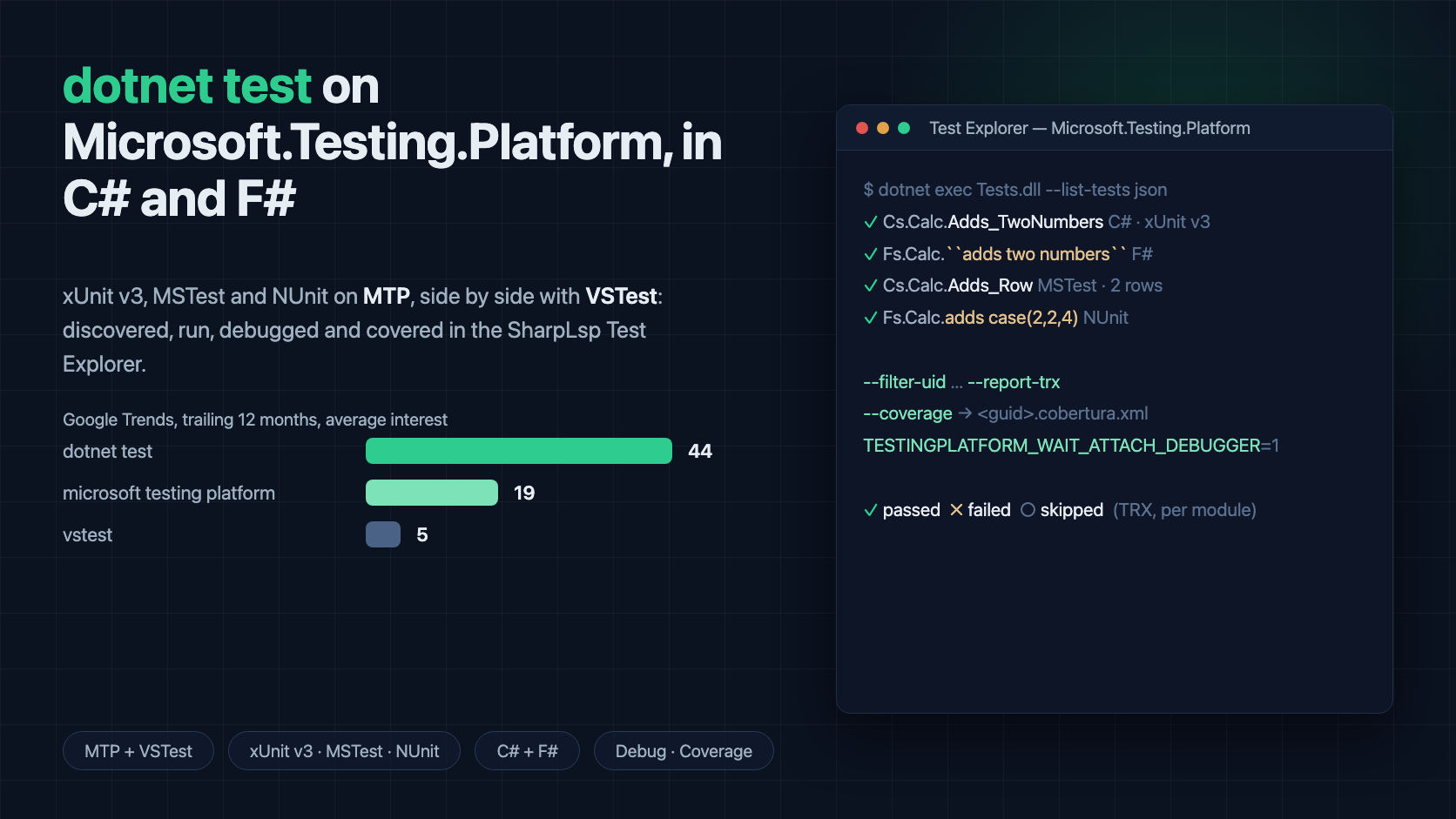
dotnet test is changing underneath .NET developers. Microsoft.Testing.Platform (MTP) is the new test platform that replaces VSTest. With it, a test project builds into an executable test module that discovers and runs its own tests. There is no separate testhost process and no adapter in between. MSTest, NUnit and xUnit all ship MTP runners, and xUnit v3 4.0 supports MTP v2 only: it has no VSTest adapter at all.
So an editor whose Test Explorer only speaks VSTest shows an empty tree for a modern xUnit v3 project. The tests are there, dotnet test runs them, and the editor sees nothing.
SharpLsp's Test Explorer now speaks both. The support is on main today and ships in the next release. It discovers, runs, debugs and collects code coverage for MTP test modules: xUnit v3, MSTest and NUnit, in C# and in F#. It does this side by side with VSTest projects, down to one multi-root workspace holding both. This post covers:
- how
dotnet teston Microsoft.Testing.Platform works; - how to opt a C# or F# project in;
- what the Test Explorer does with it;
- the real bugs we found making it trustworthy.
Thank you, Valentin Dide
This feature exists because Valentin Dide (@validide) hit exactly that empty tree, filed issue #249, "Microsoft.Testing.Platform (MTP) support in Test Explorer", and then did the hard part too. Pull request #250, "Microsoft.Testing.Platform support in the Test Explorer" added:
- MTP detection;
--list-tests jsondiscovery;--filter-uidruns;- TRX outcomes;
- the Debug profile for MTP modules;
- a six-project end-to-end fixture covering every framework in both languages.
Everything in this post builds on that PR. Thank you, Valentin: this is what open-source .NET tooling looks like when it works.
MTP vs VSTest in one paragraph
Under VSTest, dotnet test builds your project and hands the assembly to a test host, which loads a framework adapter (xunit.runner.visualstudio, NUnit3TestAdapter, MSTest.TestAdapter). The adapter finds and runs the tests.
Under Microsoft.Testing.Platform, your test project is itself the runner. It builds to an executable module with its own command line:
--list-testsenumerates;--filter-uidselects;--report-trxwrites a report;--coveragecollects code coverage.
Features like TRX and coverage are extensions: NuGet packages the module references and registers, not flags the platform always has. That one detail explains most of what follows.
How to opt in: C# and F#
In the .NET 10 SDK, dotnet test picks its mode from global.json:
{
  "test": {
    "runner": "Microsoft.Testing.Platform"
  }
}
That opt-in is also the first thing SharpLsp reads. A project with no global.json is still found. SharpLsp asks MSBuild whether the project is a Testing Platform application, so an MTP project in a VSTest repository still gets its tests.
A C# xUnit v3 test project on MTP:
<Project Sdk="Microsoft.NET.Sdk">
  <PropertyGroup>
    <TargetFramework>net10.0</TargetFramework>
    <OutputType>Exe</OutputType>
    <UseMicrosoftTestingPlatformRunner>true</UseMicrosoftTestingPlatformRunner>
  </PropertyGroup>
  <ItemGroup>
    <PackageReference Include="xunit.v3" Version="4.0.0" />
    <PackageReference Include="Microsoft.Testing.Extensions.TrxReport" Version="2.4.0" />
  </ItemGroup>
</Project>
An F# xUnit v3 test project is the same project file plus the compile order F# always needs:
<ItemGroup>
  <Compile Include="Tests.fs" />
</ItemGroup>
module MyApp.Tests.Calculator
open Xunit
[<Fact>]
let ``adds two numbers`` () = Assert.Equal(3, 1 + 2)
[<Theory>]
[<InlineData(1, 2, 3)>]
[<InlineData(2, 2, 4)>]
let ``adds rows`` (a: int) (b: int) (expected: int) = Assert.Equal(expected, a + b)For MSTest on MTP, reference MSTest (4.x) and set <EnableMSTestRunner>true</EnableMSTestRunner>. For NUnit on MTP, reference NUnit and NUnit3TestAdapter 6.x and set <EnableNUnitRunner>true</EnableNUnitRunner>. All three need <OutputType>Exe</OutputType>, because the module is the executable.
Reference Microsoft.Testing.Extensions.TrxReport for xUnit v3 and NUnit (MSTest carries it already). Without it the module rejects --report-trx and cannot report per-test results. The Test Explorer then tells you exactly which package to add, instead of showing a wall of "No result reported".
What the Test Explorer does with an MTP module
Discovery. SharpLsp builds the discovery target, then asks each built module directly with dotnet exec <module> --list-tests json. It does not go through dotnet test, because dotnet test does not forward the json argument (dotnet/sdk#49754). The text listing it does forward holds display names, and MSTest renders those as the bare method name.
The JSON listing carries each test's namespace, type, method and source location, so an MTP test row opens at the line it is written on. The tree is Assembly → Namespace → Class → Test, the same shape as VSTest.
A module on a Testing Platform older than 2.3 can't list as JSON. It gets a message telling you to update the framework package, in the log and in the tree.
Running (▶). One invocation per module for the whole selection, never one per test. A class of twenty tests does not pay twenty process starts. The selection goes out as --filter-uid values. This is the one dotnet test filter every MTP framework in our matrix accepts, and it takes literal values with no escaping, which matters for NUnit's Adds_Case(2,2,4)-style uids.
Results come back through --report-trx, read by the same TRX reader as the VSTest path. Pass, fail and skip are real, and the assertion text is the framework's own. A data-driven test (an xUnit [Theory], an MSTest [DataRow] or an NUnit [TestCase]) is one row in the tree, judged by its worst row.
Code coverage. Run with Coverage passes --coverage --coverage-output-format cobertura when the module references Microsoft.Testing.Extensions.CodeCoverage. MTP writes <guid>.cobertura.xml directly into the results directory, not one folder down where coverlet's coverage.cobertura.xml goes. The reader looks at the depth each collector really writes to.
If you're searching for "dotnet test code coverage" on MTP, that package plus that flag pair is the answer. A module without the package gets a message naming it.
Debugging. The Debug profile starts the module with TESTINGPLATFORM_WAIT_ATTACH_DEBUGGER=1. The module then prints its pid and waits. SharpLsp attaches the netcoredbg-based debugger to that exact process, and your breakpoint in the test body binds and stops. Just My Code holds, locals and watches work, and a debug run never writes a fabricated result into the tree.
VSTest and MTP side by side. The runner is chosen per discovery target, not per workspace. A multi-root workspace with a VSTest folder and an MTP folder routes every test to the runner that discovered it. Each MTP module is rebuilt from its own folder before it runs.
F# is not an afterthought
SharpLsp treats F# as a first-class citizen, so every MTP case is proven in F# as well as C#:
- Backtick names with spaces such as
``adds two numbers``reach the tree, the filter and the debugger verbatim. - F# modules compile to CLR types, so
MyApp.Tests.Calculatorrenders as namespaceMyApp.Tests→ classCalculator, just like a C# class. - F#
[<Theory>]rows are separate uids under one id. Debugging one stops once per row, each with its own[<InlineData>]arguments. - NUnit
[<TestCase>]bindings with both a space and parentheses make NUnit reject its own translation of--filter-uidinto a filter expression. SharpLsp detects that refusal and reruns the module once without a filter, picking outcomes out of the report by name. - Multi-targeted F# modules (
<TargetFrameworks>net9.0;net10.0</TargetFrameworks>) with#if NET9_0blocks report every framework's result under ONE tree root, with one TRX report per module. - Migrating an F# project from VSTest to MTP in place keeps its test ids and its tree. SharpLsp picks up the
global.jsonopt-in on the next refresh and the next ▶ runs on MTP. - Debug Test at the cursor in an
.fsfile attaches to the waiting F# module like the Testing view does.
The bugs we found making it trustworthy
Getting MTP to "work on the demo project" is easy. Getting it to be right on your project is not. Reviewing and hardening the feature turned up real defects, each fixed at its root with a failing end-to-end test written first:
-
Stale modules.
dotnet execbuilds nothing. A test you just edited would run as it was before the edit. Every MTP run now rebuilds its target first. -
TRX collisions. The two target frameworks of one project build modules with the same file name, and their reports overwrote each other. Reports are now numbered per invocation.
-
Lost module failures. A module that failed outright could have its message erased by a sibling module's results. Every module's failure is now kept.
-
A run queued behind a refresh used the old runner. Press ▶ while a discovery sweep is still queued on a project you just moved onto MTP, and the run went out as
dotnet test --filter … --logger trx, which MTP refuses. The sweep's result is now applied inside its own queued job, so the run behind it uses the runner it found. -
Debugging with the TRX extension attached.
Microsoft.Testing.Extensions.TrxReportruns a host controller that relaunches the test host with the same environment. UnderTESTINGPLATFORM_WAIT_ATTACH_DEBUGGER=1both processes waited for a debugger. Debug runs now skip--report-trx. -
False greens on edited theory rows. The newest one. A
--filter-uidvalue is the module's own key, and frameworks derive it differently:- xUnit v3 hashes a theory row's data into its uid;
- MSTest keys its data rows by position.
So adding a row, or editing an xUnit row's data, gives that row a uid discovery never saw. A run filtering the rebuilt module by the old uids ran every row except the one you just changed, and a row your edit turned red reported green. SharpLsp now re-lists each rebuilt module before a filtered run and selects by the uids that build really has.
xUnit vs MSTest vs NUnit on MTP
If you're weighing xUnit vs MSTest or NUnit vs xUnit for a new project, this is how each behaves under Microsoft.Testing.Platform from an editor's point of view:
| xUnit v3 | MSTest | NUnit | |
|---|---|---|---|
| VSTest adapter | none from 4.0 (MTP only) | yes | yes |
| TRX report | add Microsoft.Testing.Extensions.TrxReport |
built in | add Microsoft.Testing.Extensions.TrxReport |
Source location in --list-tests json |
yes | yes | no |
| Data-row uid | hash of the row's data | keyed by the row's position | decorated name, e.g. Adds_Case(2,2,4) |
| Display name | fully qualified name | bare method name | method name with its arguments |
None of these is a reason to pick one framework over another. They're reasons a Test Explorer must never build a test id from a display name, and must never trust yesterday's uids.
Tested against real projects
The MTP support is covered by end-to-end suites that build real .csproj and .fsproj files inside a real VS Code extension host:
- xUnit v3, MSTest and NUnit, each in C# and F#;
- multi-targeted modules;
- modules missing the TRX or coverage extension;
- selections too long for one command line;
- mixed VSTest and MTP workspaces;
- runs queued behind a refresh;
- Debug with real breakpoints in C# and F#;
- data rows edited and added between discovery and ▶.
They run on Windows and Linux in CI, in their own jobs, next to the VSTest suites.
FAQ
How do I run dotnet test with Microsoft.Testing.Platform? On the .NET 10 SDK, add "test": { "runner": "Microsoft.Testing.Platform" } to global.json and use an MTP-enabled framework package (xUnit v3, MSTest with EnableMSTestRunner, or NUnit with EnableNUnitRunner).
Does xUnit v3 work with VSTest? Not from 4.0: xunit.v3 4.x supports MTP v2 only and carries no VSTest adapter.
How do I filter tests under MTP? Each framework adds its own filter options. --filter-uid is the platform's own, and it's what SharpLsp uses for ▶, so a selection means exactly the tests you picked.
How do I get code coverage from dotnet test on MTP? Reference Microsoft.Testing.Extensions.CodeCoverage and pass --coverage --coverage-output-format cobertura. The SharpLsp Test Explorer's Run with Coverage does that for you.
Can one repository mix VSTest and MTP projects? Yes. SharpLsp picks the runner per discovery target and routes each test to the runner that found it.
Try it
MTP support ships in the next SharpLsp release after 0.21.0. Watch the releases page or build the VS Code extension from main today. Then open a solution with an xUnit v3, MSTest or NUnit project on Microsoft.Testing.Platform, and open the Testing view. If your MTP project shows an empty tree, a wrong outcome or a debugger that never attaches, open an issue. That's how this feature started.