.NET Framework and multi-targeting in VS Code: every framework, C# and F#

SharpLsp Team
Nimblesite Engineering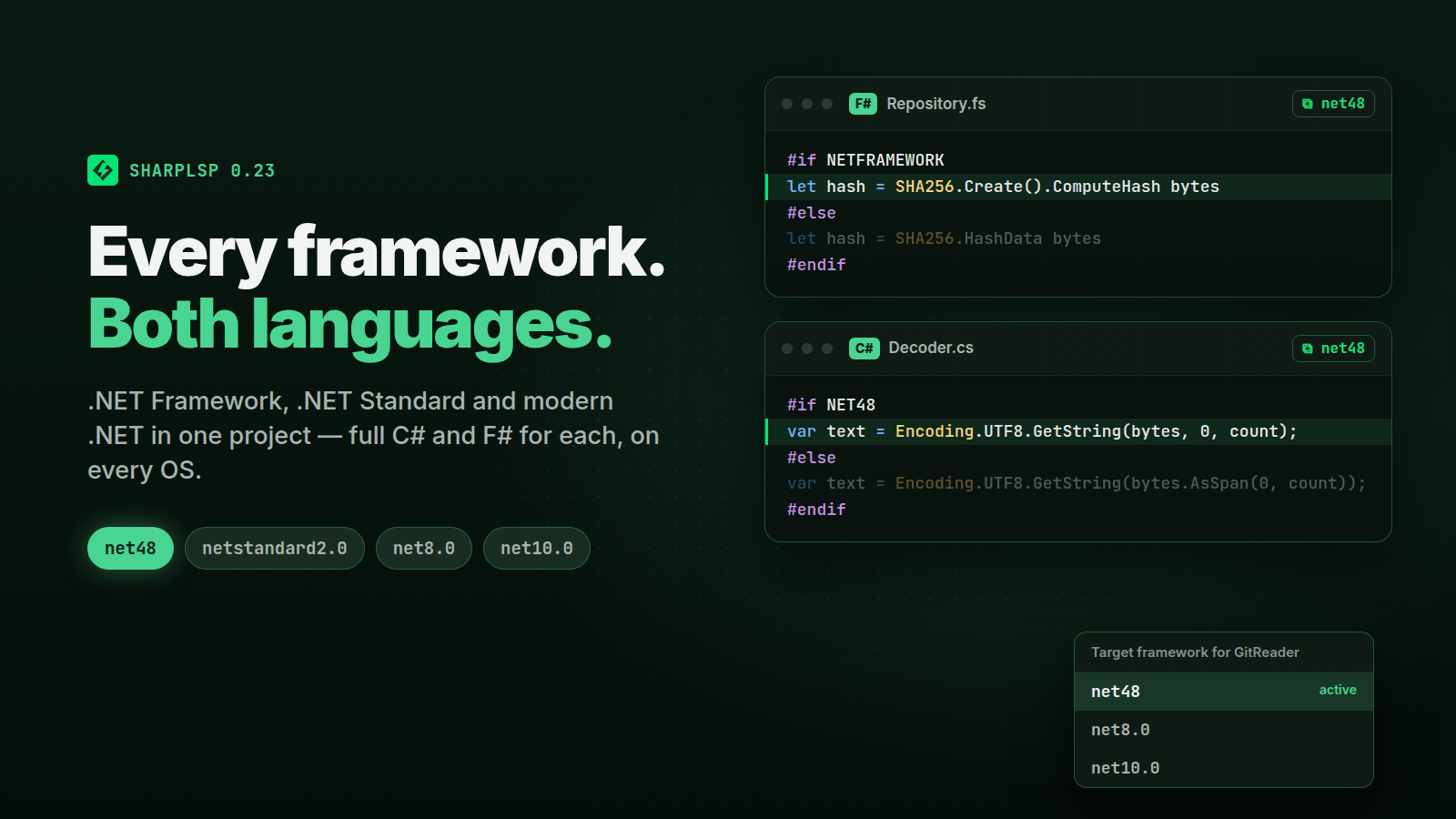
Open almost any serious .NET library and you will find a line like this:
<TargetFrameworks>net462;net48;netstandard2.0;net8.0;net10.0</TargetFrameworks>One project file. Five frameworks. Islands of #if NETFRAMEWORK code that only one of them compiles. Most editors quietly pick a single framework and treat the rest as if they don't exist — so the code you are actually debugging for a .NET Framework customer is grey, unanalysed, and full of phantom errors.
SharpLsp 0.23 gives every framework a project declares the full experience, in F# exactly as in C#. Here is what that means in practice.
Switch the framework. Watch the code change.
When the focused file belongs to a multi-targeted project, the status bar shows its active framework — net48, say. Click it (or run SharpLsp: Select Target Framework) and pick another one.
The switch applies to the whole project, in both languages:
#if NET48regions come alive and the#elsebranch greys out;- framework-only APIs resolve — or turn into the errors they really are;
- diagnostics are re-published for every open document;
- semantic highlighting, inlay hints and CodeLens refresh straight away.
The default is the first entry of <TargetFrameworks>, exactly as in Visual Studio.
C#: one Roslyn context per framework
MSBuildWorkspace gives SharpLsp one Roslyn project per framework — Csv(net48), Csv(net8.0) — so every document has one context per framework, and every request answers from the active one.
Project-wide queries are where multi-targeting usually goes wrong. Find references, CodeLens counts, implementations, call and type hierarchy and dead-code analysis all search each project's active framework, and every place is reported once. A use is never counted again per framework, or again through a property's accessor.
F#: MSBuild's options, per framework
F# gets the same treatment, and the compiler options are not a guess. For each framework, SharpLsp asks MSBuild for the project's real design-time compile:
dotnet msbuild  -p:TargetFramework=net48 -p:DesignTimeBuild=true
  -p:SkipCompilerExecution=true -p:ProvideCommandLineArgs=true ...
  -getItem:FscCommandLineArgs -getItem:ReferencePathWithRefAssemblies
So net48 compiles with --targetprofile:mscorlib, the 4.8 reference assemblies and NETFRAMEWORK;NET48;…_OR_GREATER — and source order, globs, conditions and Directory.Build.* are MSBuild's, not ours. It takes about a second per framework: the first is built at load, each other one on its first switch, and then kept.
Two details matter more than they look:
- Console-only flags are dropped. MSBuild passes
--flaterrorsfor its own log, which folds every compiler message onto one line. An editor that keeps it loses the line breaks in every diagnostic and every quick fix that reads one. - Failure degrades, loudly. If a design-time compile fails, the project falls back to its
<Compile>items and the log says exactly why. You get a working editor and an explanation, not a silent half-loaded project.
F# projects that reference other F# projects read them in memory, from the framework MSBuild actually picked for that reference.
Analyse on every OS
The SDK automatically references Microsoft.NETFramework.ReferenceAssemblies, so .NET Framework code is analysed on macOS and Linux too — completions, navigation and diagnostics for net48 work on a MacBook. Running it is another matter:
| Target | Analyse | Build | Run / test | Debug |
|---|---|---|---|---|
net462–net481 |
every OS | every OS | Windows only | refused, with a reason |
netstandard2.0/2.1 |
every OS | every OS | never — a library | — |
net8.0+ |
every OS | every OS | needs that runtime | netcoredbg |
A framework whose runtime is missing — net9.0 on a machine with only 8 and 10 — is reported as unrunnable by name, never as a failing or missing test.
A Test Explorer that knows about frameworks
The Test Explorer now understands multi-targeted test projects, for VSTest and MTP, in C# and F#:
- Discovery — a multi-targeted project's row lists its frameworks (
net48 · net8.0), and each test carries atfm:<tfm>tag for every framework that lists it. A test that exists only under#if NET48shows up only there. - Results — each result is tied to its framework. The merged outcome is the worst one, and a failure carries one message per failing framework, prefixed
[net48]. - Run on a framework — one Run on
<tfm>profile per discovered framework. It builds, then runsdotnet vsteston that framework's assemblies. Neverdotnet test --framework, which fails with NETSDK1005 for every project that doesn't target that framework. - MTP on .NET Framework — a .NET Framework MTP module is executed directly as its
.exe, becausedotnet execcannot host the desktop CLR. Off Windows it is not started, and the reason is spelled out.
Debugging: honest about the desktop CLR
netcoredbg debugs .NET, not the .NET Framework desktop CLR. A test host waiting for a debugger that will never attach would just hang, so SharpLsp doesn't let it:
- Debug on tests runs the selection's .NET frameworks. A selection that is .NET Framework-only is refused immediately, with a message telling you to use Run or debug under one of the project's .NET frameworks.
- F5 on a multi-targeted program debugs its active framework when that is .NET, otherwise the first .NET framework it declares.
- Ctrl+F5 runs
dotnet run --framework <active>without a debugger — including a .NET Framework build, on the desktop CLR.
Proven on real repositories
Synthetic fixtures are not enough for a feature like this, so a Windows CI chunk clones three real multi-targeted repositories at pinned commits and drives them through the real extension:
| Repository | Language | Targets |
|---|---|---|
| kekyo/GitReader | F# and C# | net35…net481, netstandard1.6–2.1, modern .NET |
| JoshClose/CsvHelper | C# | net462;net47;net48;netstandard2.0;2.1;net8.0;net9.0 |
| NLog/NLog | C# | net35;net46;netstandard2.0;netstandard2.1 |
Each one loads, answers language requests inside #if NETFRAMEWORK code, discovers its .NET Framework test assemblies, and reports per-framework results.
Try it
Update to SharpLsp 0.23 or later from the VS Code Marketplace or Open VSX, open a multi-targeted solution, and click the framework in the status bar.
Found a project that doesn't behave? Open an issue — a real <TargetFrameworks> line that breaks SharpLsp is exactly what we want to see.