Configuration
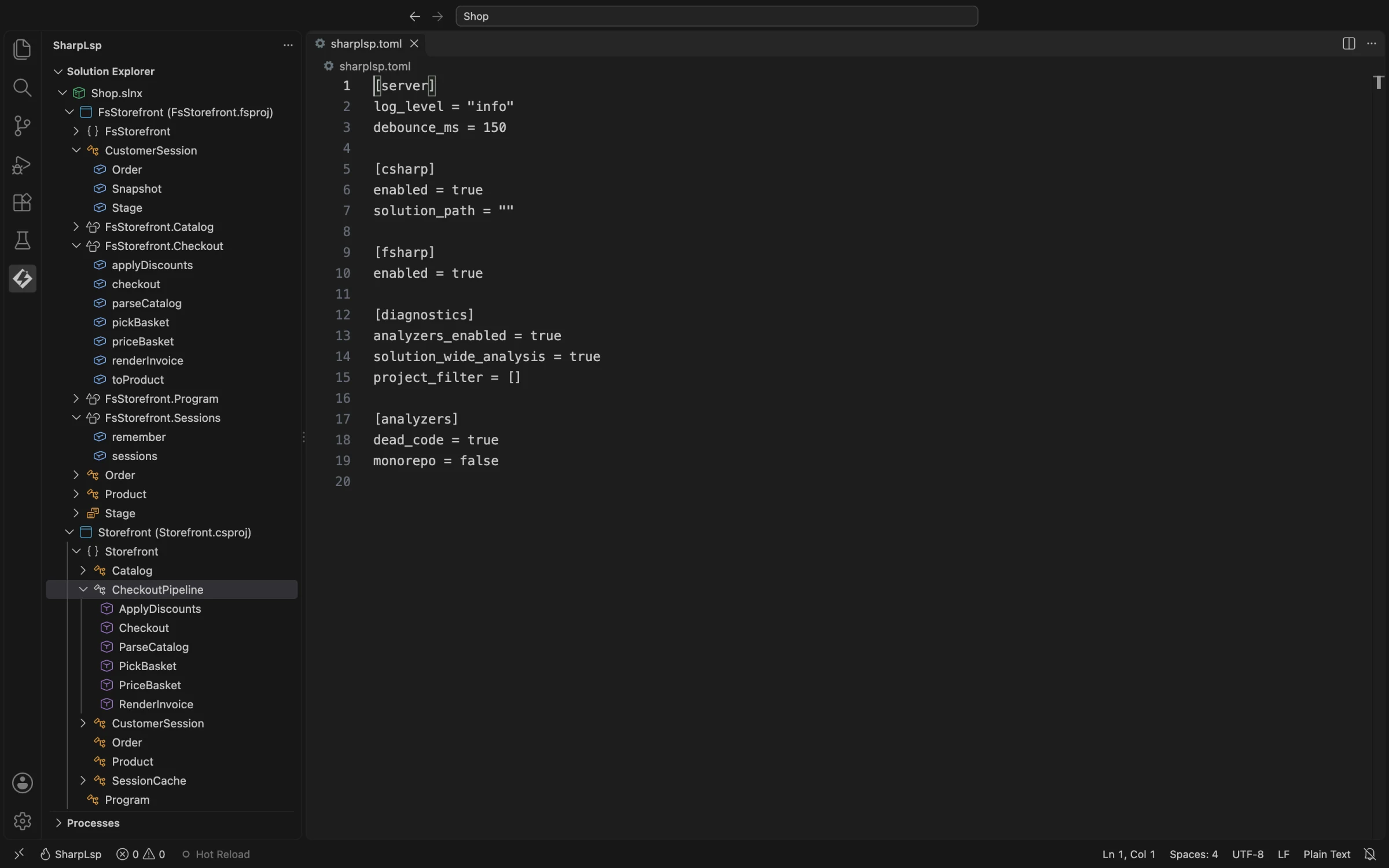
SharpLsp has two configuration surfaces:
- workspace-level server settings in
sharplsp.toml; - client and UI settings under
sharplsp.*in VS Code.
They are not interchangeable. In particular, FSI arguments and inlay-hint display settings are VS Code settings, not TOML fields.
sharplsp.toml Location
Place sharplsp.toml beside your solution or project. SharpLsp starts at the workspace root and walks upward; the first file found is used. In single-file mode it starts from the server's current directory.
The schema uses deny_unknown_fields. A misspelled or unsupported key is a startup error.
Complete TOML Schema
[testing]
configuration = "Debug"

[debug.exceptions]
break_on = "editor"
just_my_code = true
external_code = "throw-site"
ignore = []

[server]
log_level = "info"
debounce_ms = 150

[csharp]
enabled = true
solution_path = ""

[fsharp]
enabled = true

[diagnostics]
analyzers_enabled = true
solution_wide_analysis = true
project_filter = []
min_severity = "hint"
max_per_file = 0
refresh_debounce_ms = 2000
auto_restore_on_open = true

[analyzers]
dead_code = true
monorepo = false

[profiler]
max_concurrent_sessions = 5
output_directory = ".sharplsp/profiles"
Every field is optional. Omitted fields use the values shown above.
Testing and Debugging
testing.configuration selects the MSBuild configuration for test discovery, execution, coverage and debugging. It defaults to Debug, even when the project defaults to Release. Set it to Release or a custom configuration when needed; changes apply to the next operation. Selected tests build their owning projects and dependencies incrementally. Unrelated test projects are excluded, and a failed build never runs stale assemblies.
For exception debugging, set debug.exceptions.break_on to all to stop on handled throws, or unhandled to stop only on terminal exceptions. editor follows the debugger's exception checkboxes. Just My Code skips handled exceptions in external code. With just_my_code = false, external throws also stop: external_code = "throw-site" shows their original source, while "user-boundary" shows the caller in your code and preserves the exception details. An explicit launch cwd defines the user-source root; otherwise workspace folders are used.
The test platform's own DLLs can be prebuilt in Release. Their debugger warnings do not mean your test assembly was compiled in Release.
Settings That Affect Runtime Behavior
| Field | Behavior |
|---|---|
csharp.enabled |
Starts or skips the C# sidecar |
csharp.solution_path |
Selects a .sln or .slnx, absolute or relative to the workspace |
fsharp.enabled |
Starts or skips the F# sidecar |
diagnostics.analyzers_enabled |
Enables F# and C# analyzer diagnostics; compiler errors remain visible |
diagnostics.solution_wide_analysis |
Includes closed F# and C# files in solution diagnostics; enabled by default |
diagnostics.project_filter |
Filters F# and C# workspace results by project name or project path relative to the selected solution; direct document pulls remain unfiltered |
diagnostics.min_severity |
Includes diagnostics at or above error, warning, info or hint; defaults to hint |
diagnostics.max_per_file |
Limits each file after severity filtering; 0 means unlimited |
diagnostics.refresh_debounce_ms |
Coalesces diagnostic refresh requests over this many milliseconds; defaults to 2000 and updates live |
diagnostics.auto_restore_on_open |
Restores missing or stale SDK assets and package files before opening a workspace; defaults to true. Changes apply on the next workspace open |
analyzers.dead_code |
Enables SharpLsp's C# and F# dead-code analyzers |
analyzers.monorepo |
Treats unused public symbols as dead and reports them as errors |
profiler.max_concurrent_sessions |
Caps simultaneous profiler sessions |
If solution_path is empty, SharpLsp uses workspace discovery. A workspace containing multiple solutions is ambiguous and may load none until you select one. If a configured path does not name a file, the server logs a warning and falls back to workspace discovery.
Disabling a language prevents its sidecar from starting. Syntax-only host behavior may still exist for C#, but semantic requests for the disabled language return no useful result.
Accepted but Not Yet Applied
The following fields are parsed and retained for compatibility, but changing them does not currently change the named behavior:
server.log_level;server.debounce_ms;- all
profiler.*defaults exceptmax_concurrent_sessions.
For VS Code logging, use sharplsp.logging.level, which is forwarded to the host as RUST_LOG. Profiler commands currently use their request defaults and write under .sharplsp/profiles.
Common VS Code Settings
| Setting | Purpose |
|---|---|
sharplsp.logging.level |
Host log filter |
sharplsp.lspPath |
Trusted-workspace override for the server binary |
sharplsp.csharpSidecarPath / sharplsp.fsharpSidecarPath |
Trusted-workspace sidecar overrides |
sharplsp.server.extraArgs |
Extra trusted-workspace server arguments |
sharplsp.fsi.extraArgs |
Arguments passed after dotnet fsi |
sharplsp.inlayHints.parameterNames |
Reserved parameter-name hint toggle; not yet applied |
sharplsp.inlayHints.typeInference |
Reserved inferred-type hint toggle; not yet applied |
sharplsp.inlayHints.pipelineTypes |
Reserved F# pipeline hint toggle; not yet applied |
sharplsp.nuget.includePrerelease |
Include prerelease packages in search |
sharplsp.hotReload.onSave |
Trigger hot reload on save |
sharplsp.testLens.enabled |
Show test CodeLens actions |
sharplsp.solutionExplorer.autoReveal |
Follow the active editor in the tree |
Member-sort ordering and the debug-adapter path are also configurable in the VS Code Settings UI.
The three inlay-hint settings are registered and readable by the extension, but no production path currently uses them to filter returned hints. Changing them therefore has no effect yet.
.editorconfig
Roslyn and FCS read project/compiler settings through their normal workspace inputs. SharpLsp does not currently run arbitrary third-party analyzer packages merely because an .editorconfig severity exists; see Diagnostics for the implemented sources.