NuGet Package Manager
The VS Code extension includes a NuGet browser and package-maintenance commands. The Rust host handles target discovery, NuGet API queries, restore progress, unused-package analysis, and consolidation orchestration. Project-file mutations go through the .NET sidecar's MSBuild DOM so existing XML structure and formatting are preserved.
Open the Browser
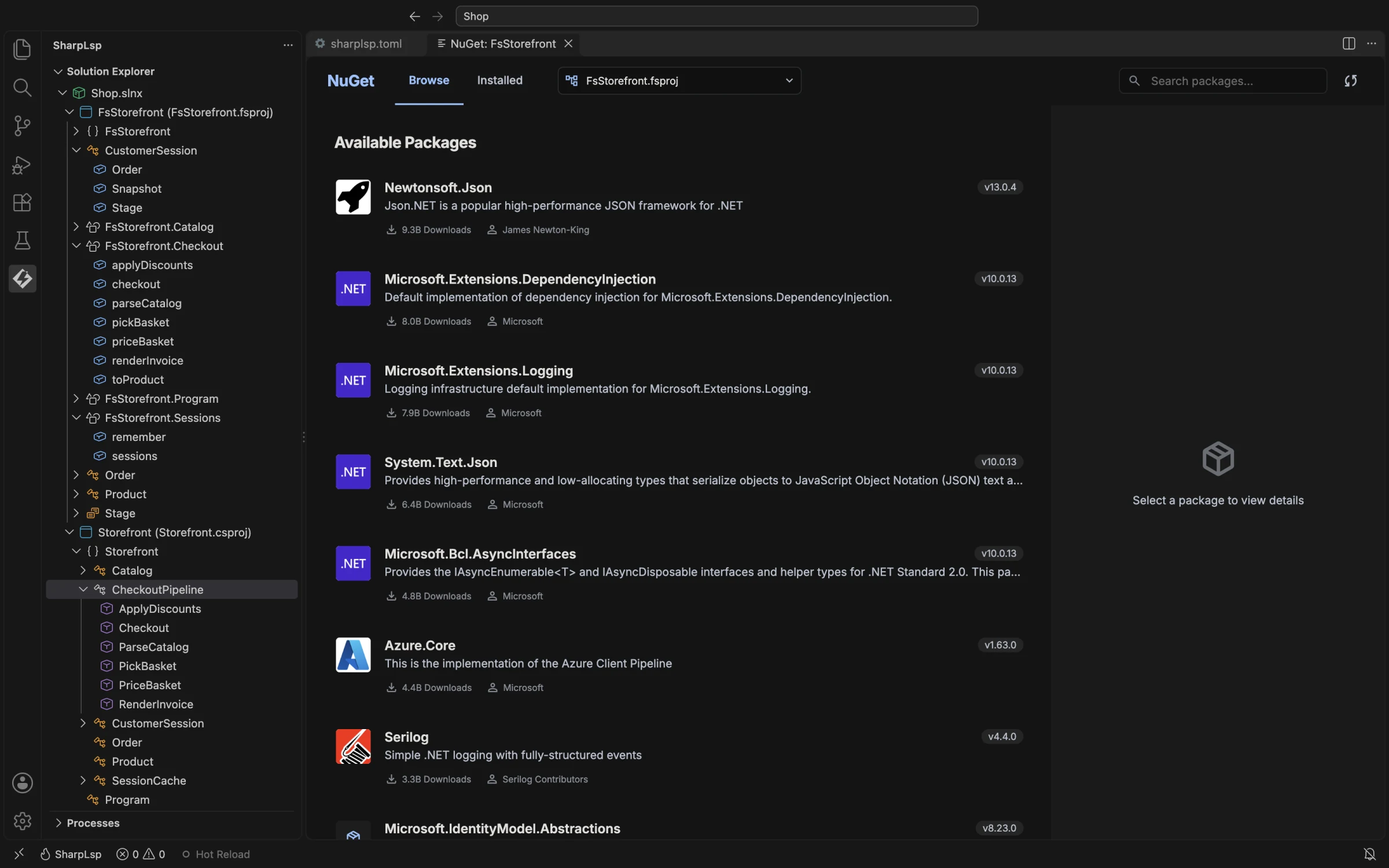
Right-click a project and choose Browse NuGet Packages, or run SharpLsp: Browse NuGet Packages. If the workspace contains multiple targets, select the project or central package file to edit.
The browser supports:
- searching nuget.org;
- including prerelease results when
sharplsp.nuget.includePrereleaseis enabled; - viewing installed direct references;
- inspecting package metadata and available versions;
- installing, changing the selected version, and removing packages.
Project and Central Package Management
SharpLsp discovers .csproj, .fsproj, Directory.Build.props, and Directory.Packages.props targets. When ManagePackageVersionsCentrally is enabled, it updates the central PackageVersion and keeps the project PackageReference versionless.
Install, update, remove, and consolidation operations can touch more than one MSBuild file. The response reports every modified file.
Restore and Reactivity
After a package edit, the host starts dotnet restore in the background and sends progress notifications to the browser. The Solution Explorer's project-dependency store watches project and central package files, so external edits refresh package/reference nodes without restarting the extension.
Unused Packages
Run Remove Unused Packages on a project or solution. SharpLsp combines direct package references with compiler-side assembly usage and proposes only references it can classify as unused. You review a confirmation list before removal.
This analysis is conservative: packages with no compile assembly contribution are not automatically treated as removable merely because no type use was found.
Consolidate Packages
Run Consolidate Packages on a solution to find package references repeated across projects. The command performs a dry run first, shows the proposed changes, and can hoist shared PackageReference items into a solution-root Directory.Build.props before restoring affected projects. Under Central Package Management, the hoisted references remain versionless because versions continue to come from Directory.Packages.props.
Failure Behavior
Network failures, invalid targets, failed MSBuild edits, and restore failures are reported without silently rewriting files. A package edit requires the C# sidecar infrastructure even when the target is an F# project, because the shared MSBuild DOM editor currently lives there.