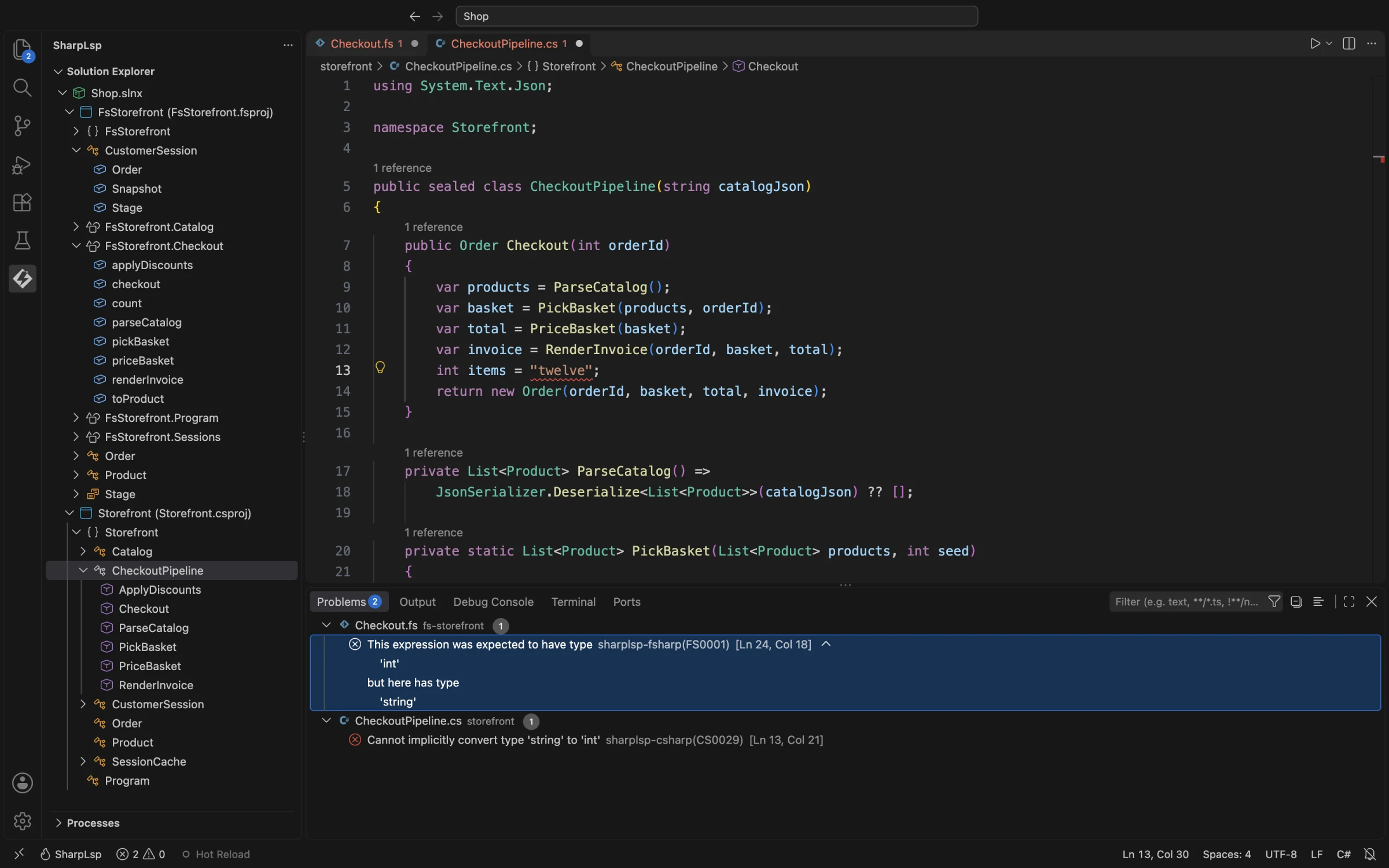
Diagnostics
SharpLsp reports compiler diagnostics for both C# and F#. Roslyn handles C# files; the F# Compiler Service handles F# files. Each sidecar analyzes the current editor buffer, so unsaved changes are included.
Delivery Model
SharpLsp supports both LSP diagnostic models:
- Push: opening, changing, or saving a document starts a background analysis and sends
textDocument/publishDiagnostics. - Document pull:
textDocument/diagnosticfetches the current file's diagnostics. - C# solution scan: when
diagnostics.solution_wide_analysisis enabled, the C# sidecar scans the loaded solution at startup and publishes results one file at a time.
The standard workspace/diagnostic request is advertised but currently returns an empty report. Workspace-wide results are delivered by the C# startup scan instead; F# solution-wide pull is not yet implemented.
A generation gate prevents an older background request from overwriting newer results. Closing a document publishes an empty set to clear its diagnostics.
Diagnostic Sources
| Language | Sources available today |
|---|---|
| C# | Roslyn compiler diagnostics and SharpLsp dead-code diagnostics (SLSPC0101) |
| F# | FCS compiler diagnostics plus SLSPF0101 dead code, SLSPF0102 unused open, and SLSPF0103 redundant qualifier |
Third-party Roslyn analyzer execution and FSharpLint are not currently wired into this pipeline. The accepted diagnostics.analyzers_enabled field is therefore not an effective on/off switch yet.
Configuration
[diagnostics]
# C# startup scan across the loaded solution
solution_wide_analysis = true

# Limit that C# scan to matching project names; empty means all projects
project_filter = []

[analyzers]
# SharpLsp dead-code analyzers for C# and F#
dead_code = true

# Treat the repository as the complete usage boundary
monorepo = false
In normal mode, private/internal dead code is reported as a warning and public symbols are treated as possible external API. In monorepo mode, unused public symbols are also reported and use error severity.
Severity Mapping
| Compiler / analyzer severity | LSP severity |
|---|---|
| Error | 1 — Error |
| Warning | 2 — Warning |
| Info | 3 — Information |
| Hidden / hint | 4 — Hint |
The server.debounce_ms field is accepted for configuration compatibility but is not currently applied; diagnostic requests start immediately and stale results are suppressed by the generation gate.